
10 Best Canva Alternatives in 2026 (Free and Paid, Honestly Compared)
The best Canva alternative depends on your job: finished marketing content (MarketingStudios.AI), cheap team design (VistaCreate), photo editing (Pixlr), or pro design (Figma). Ten tools, honestly compared.

The best Canva alternative depends on what you actually need to produce. If you want finished marketing content without doing the design work yourself, an AI content generator like MarketingStudios.AI replaces the canvas entirely; if you want a cheaper or more specialized editor, tools like Adobe Express, VistaCreate, and Pixlr each beat Canva on at least one axis. This guide compares 10 alternatives — free plans, real 2026 pricing, and where each one falls short — so you can pick in one read instead of ten trials.
Why look beyond Canva?
Let's be fair first: Canva is a genuinely good product. The editor is friendly, the template library is enormous, and for many people it's still the right default. But there are four documented reasons the search for alternatives keeps growing.
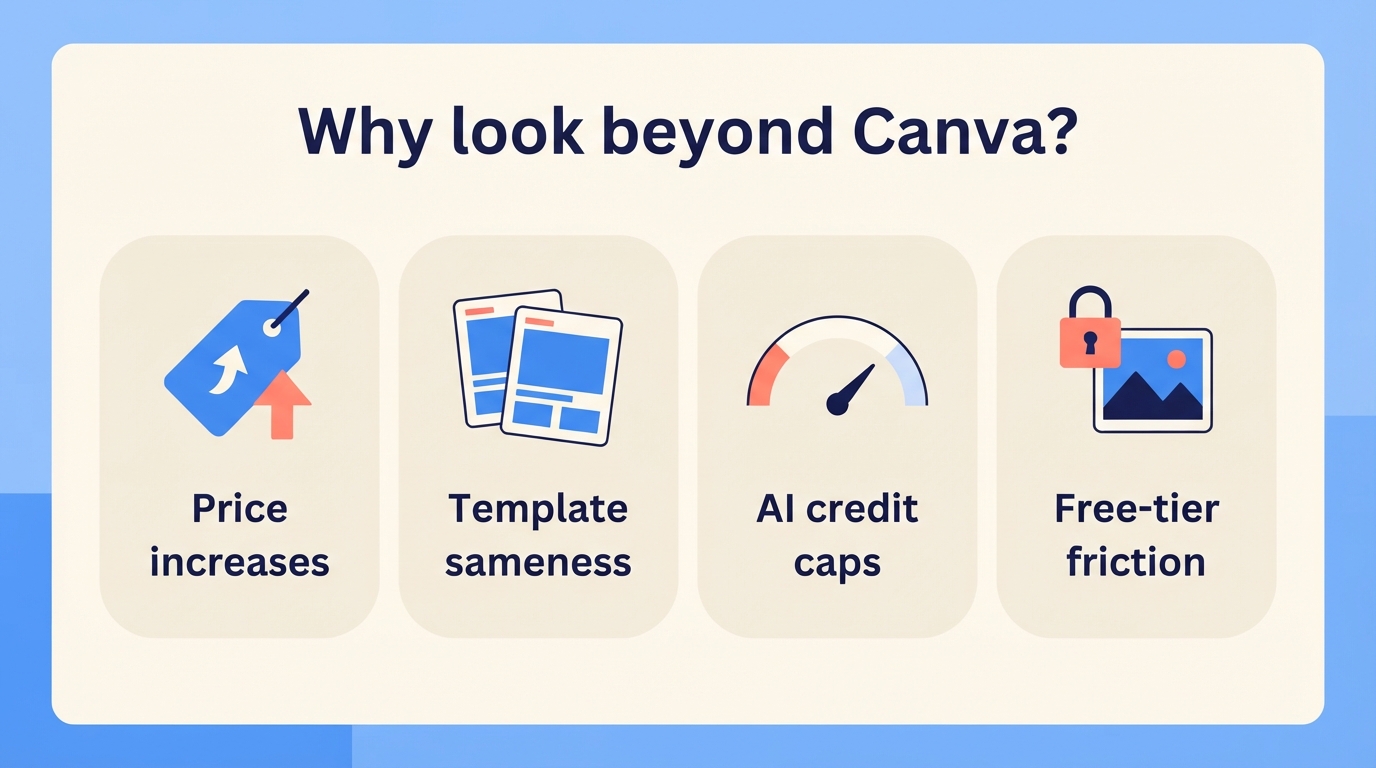
Price increases. In September 2024, Canva restructured its Teams plan from a flat $119.99/year (covering up to five users) to $100 per user per year — roughly a 317% increase for a five-person team, as TechCrunch reported at the time. In September 2025, Canva Pro's monthly price rose from $12.99 to $15 — its first Pro increase since 2021. As of mid-2026, Canva Pro runs $15–18/month depending on billing, and Teams requires a three-seat minimum.
Template sameness. Canva reports over 190 million users, and they're all drawing from the same template library. When your Instagram post uses the same layout as thousands of other businesses that week, "easy" starts costing you distinctiveness.
AI credit caps. Canva's AI features (Magic Studio) run on a monthly credit allowance, and users who lean on AI daily report burning through it well before the month ends.
Free-tier friction. Canva's free plan mixes premium assets into search results, so you regularly build half a design before hitting a paywall.
None of these is a dealbreaker on its own. But if one of them describes your week, one of the tools below probably fixes it.
Canva alternatives at a glance
| Tool | Best for | Free plan | Paid from | |---|---|---|---| | MarketingStudios.AI | Finished marketing content, not designing | 10 AI images, 2 blog drafts, 1 deep research | $29/mo | | Adobe Express | Canva-style editing with Adobe assets | Yes, basic templates + 2GB | $9.99/mo | | VistaCreate | Teams on a budget + print | Yes, 100K templates + 10GB | $10/mo (up to 10 seats) | | Visme | Data-heavy content and presentations | Yes, unlimited projects (branded) | $12.25/mo billed annually | | Snappa | Fast social graphics, zero learning curve | 3 downloads/month | $10/mo billed annually | | Pixlr | Photo editing on a budget | Yes, ad-supported with save limits | $1.99/mo billed annually | | Kittl | Print-on-demand and merch design | Yes, 5 projects, personal use only | $10/mo billed annually | | Piktochart | Infographics and visual reports | Yes, watermarked with download caps | ~$10–14/mo billed annually | | Stencil | Bloggers and quote graphics | 10 images/month | $9/mo billed annually | | Figma | Working with professional designers | Yes, unlimited drafts | $3/mo (Collab seat) |
1. MarketingStudios.AI — best if you want finished content, not a design tool
Full disclosure: this is our product, and it's a different kind of tool than everything else on this list — you deserve to know both before reading on.
Canva and most of the alternatives below hand you a canvas and templates; the design work is still yours. MarketingStudios.AI removes that step. You enter your brand information once, and the AI generates finished marketing content: multi-slide card news graphics, social posts complete with image, caption, and hashtags, blog drafts, ad banners, product detail pages, and short AI videos. Your job shifts from designing to reviewing and publishing.

What it does best:
- Generates complete, ready-to-post content from your brand info — not blank templates you still have to fill in
- Auto-extracts your brand kit (colors, tone of voice) from your website, so output stays on-brand without manual setup
- Publishes directly to Instagram, Facebook, Threads, YouTube, and WordPress from inside the app
Where it falls short:
- It's not a freeform design editor — you can't pixel-push arbitrary layouts the way you can in Canva or Figma
- It's built for marketing content specifically, so it's the wrong tool for print products, presentations, or UI design
Best for: Small businesses and solo marketers for whom design is the chore standing between them and actually posting. If you enjoy designing, pick a canvas tool below; if you'd rather skip straight to publishing, this is the shortcut.
Pricing: Free plan includes 10 AI images, 2 blog drafts, and 1 deep research — no credit card required. Pro is $29/month.
2. Adobe Express — best big-name Canva rival
Adobe Express is Adobe's answer to Canva: a template-based quick-design app backed by Adobe's stock library, fonts, and Firefly generative AI.
What it does best:
- Cheapest premium tier among the big names — $9.99/month versus Canva Pro's $15+
- Includes Adobe Stock photos, roughly 30,000 fonts, and a monthly allowance of Firefly AI credits
- Plays well with Photoshop and Illustrator assets, and Premium comes bundled with most Creative Cloud plans
Where it falls short:
- The template library is smaller than Canva's
- It pulls you into the Adobe account ecosystem, and the editor feels heavier than lightweight rivals
Best for: Anyone who wants a Canva-style editor with Adobe-grade assets — and it's effectively free if you already pay for Creative Cloud.
Pricing: Free plan with basic templates and 2GB storage; Premium is $9.99/month; Teams runs $19.99 per user/month.
3. VistaCreate — best value for small teams
VistaCreate (formerly Crello, now part of VistaPrint) is a Canva-style social and marketing design tool with the most generous team pricing in this category.
What it does best:
- One Pro subscription at $10/month covers up to 10 seats — compare Canva Teams at $100 per user per year with a three-seat minimum
- 170M+ photos, videos, and vectors from the Depositphotos library on the paid plan
- Built-in animation plus direct print ordering through VistaPrint
Where it falls short:
- Template variety and the surrounding app ecosystem are smaller than Canva's
- Fewer third-party integrations than Canva's marketplace offers
Best for: Small teams on a budget, and anyone who regularly turns social designs into printed products.
Pricing: Free plan includes 100K templates, 1M assets, and 10GB storage. Pro is $10/month (about $7.70/month billed annually), with a 14-day free trial.
4. Visme — best for data-heavy content
Visme is less a Canva clone than a design-plus-data platform: presentations, infographics, charts, and interactive content sit at its core.
What it does best:
- The strongest data visualization in this category — charts, interactive infographics, and embeddable content
- Presentation features that rival dedicated slide tools, including PPTX export and analytics on shared decks
- A genuinely usable free tier with unlimited projects
Where it falls short:
- Noticeably pricier than Canva at the Pro tier
- Heavier interface and steeper learning curve than Canva for quick social posts
Best for: Marketers and teams producing reports, infographics, and interactive presentations — content where charts matter more than templates.
Pricing: Free plan with Visme branding; Starter is $12.25/month billed annually ($147/year); Pro is $24.75/month billed annually ($297/year). Month-to-month billing costs substantially more.
5. Snappa — best for speed
Snappa's whole pitch is getting a decent social graphic out the door in five minutes, with essentially zero learning curve.
What it does best:
- The fastest workflow here — preset social dimensions, minimal interface, no clutter
- All 5M+ included stock photos are cleared for commercial use, no attribution needed
- Magic-resize converts one design between formats on the paid plan, and it integrates with Buffer for scheduling
Where it falls short:
- Small feature surface: no real animation, video, or brand-kit depth
- The free plan's 3 downloads per month makes it a trial rather than a working tier
Best for: Solo marketers and bloggers who need social graphics and blog headers fast, and nothing else.
Pricing: Free plan allows 3 downloads/month. Pro is $15/month, or $10/month billed annually. Team (5 users) is $30/month, or $20/month annually.
6. Pixlr — best budget photo editor
Pixlr is a browser-based photo editing suite — think Photoshop-lite with templates attached — at the lowest prices on this list.
What it does best:
- Cheapest paid entry point of any tool here: Plus starts at $1.99/month billed annually
- Real photo-editing power — layers, masks, retouching — beyond what Canva's editor can do
- AI credits included even on the cheapest tier (80/month on Plus, 1,000/month on Premium)
Where it falls short:
- The template and brand-kit side is much thinner than Canva's — it's an editor first, design tool second
- The free tier is ad-heavy with tight save limits
Best for: Budget-conscious users whose main need is photo editing, with occasional template design on the side.
Pricing: Free (ad-supported); Plus is $2.49/month or $1.99/month billed annually; Premium is $9.99/month or $7.99/month annually.
7. Kittl — best for print-on-demand sellers
Kittl targets a niche Canva serves poorly: merch, labels, and logo art, with advanced typography effects and vector output.
What it does best:
- Typography and vector effects Canva can't match — warped text, engraving styles, SVG export on paid plans
- Commercial licensing explicitly built for print-on-demand (Pro covers up to 500K products sold)
- Strong AI image and vector generation with monthly token allowances
Where it falls short:
- Not built for a social media content cadence — no scheduler, and fewer social templates
- The free plan is effectively a demo: low-resolution exports, personal use only
Best for: Print-on-demand sellers, Etsy shops, and anyone designing t-shirts, labels, or logos.
Pricing: Free plan with 5 projects and 100 AI tokens/month. Pro is $15/month, or $10/month billed annually; Expert is $30/month, or $24/month annually.
8. Piktochart — best for infographics
Piktochart is an infographic-first design tool: visual reports, posters, and charts, with AI that drafts an infographic from a prompt or an uploaded document.
What it does best:
- Purpose-built infographic and report templates with proper chart tools
- AI infographic generator that turns a document into a draft visual — a real time-saver for report-heavy work
- Simple enough for non-designers to produce presentable data content
Where it falls short:
- Narrow use case — weak for general social and marketing asset variety compared to Canva
- The free plan is very restrictive: watermarked exports and a tiny download cap
Best for: Content marketers, educators, and NGOs producing infographics and visual reports.
Pricing: Free plan available with watermarks; Pro pricing starts around $10–14/month billed annually, with month-to-month billing costing more.
9. Stencil — best for bloggers and quote graphics
Stencil is an ultra-lightweight graphic maker best known for its browser extension, which lets you start a design from any text or image you highlight on the web.
What it does best:
- The Chrome/Firefox extension flow — highlight a quote on any page, design a graphic from it instantly — is unique in this list
- Very fast for quote graphics, Pinterest pins, and social images
- Cheap annual pricing with 5M+ photos and 4,750+ Google fonts on every plan
Where it falls short:
- Even paid tiers cap monthly image saves (Pro allows 50/month; only Unlimited removes the cap)
- No video, animation, or team features, and development pace is slow
Best for: Bloggers and Pinterest or social quote-graphic creators who value speed over power.
Pricing: Free plan saves 10 images/month. Pro is $15/month, or $9/month billed annually; Unlimited is $20/month, or $12/month annually.
10. Figma — best for working with professional designers
Figma is the professional design standard, and since 2025 its suite includes Figma Buzz — a Canva-style templated tool for marketing assets that lives alongside the pro design environment.
What it does best:
- Unmatched real-time collaboration and design systems — components, variables, and shared libraries keep the brand consistent at scale
- Figma Buzz gives marketers a template-driven workflow while designers keep control of the underlying design system
- A massive community and plugin ecosystem, plus unlimited free viewers on every plan
Where it falls short:
- A steep learning curve for non-designers compared to Canva
- No built-in stock library or social scheduling — it's a design tool, not a marketing pipeline
Best for: Product teams and design-led organizations where marketers work alongside professional designers.
Pricing: Free Starter plan with unlimited drafts. A full Professional seat is $16/month; a Collab seat — which includes full access to Buzz, FigJam, and Slides — is just $3/month.
How to choose
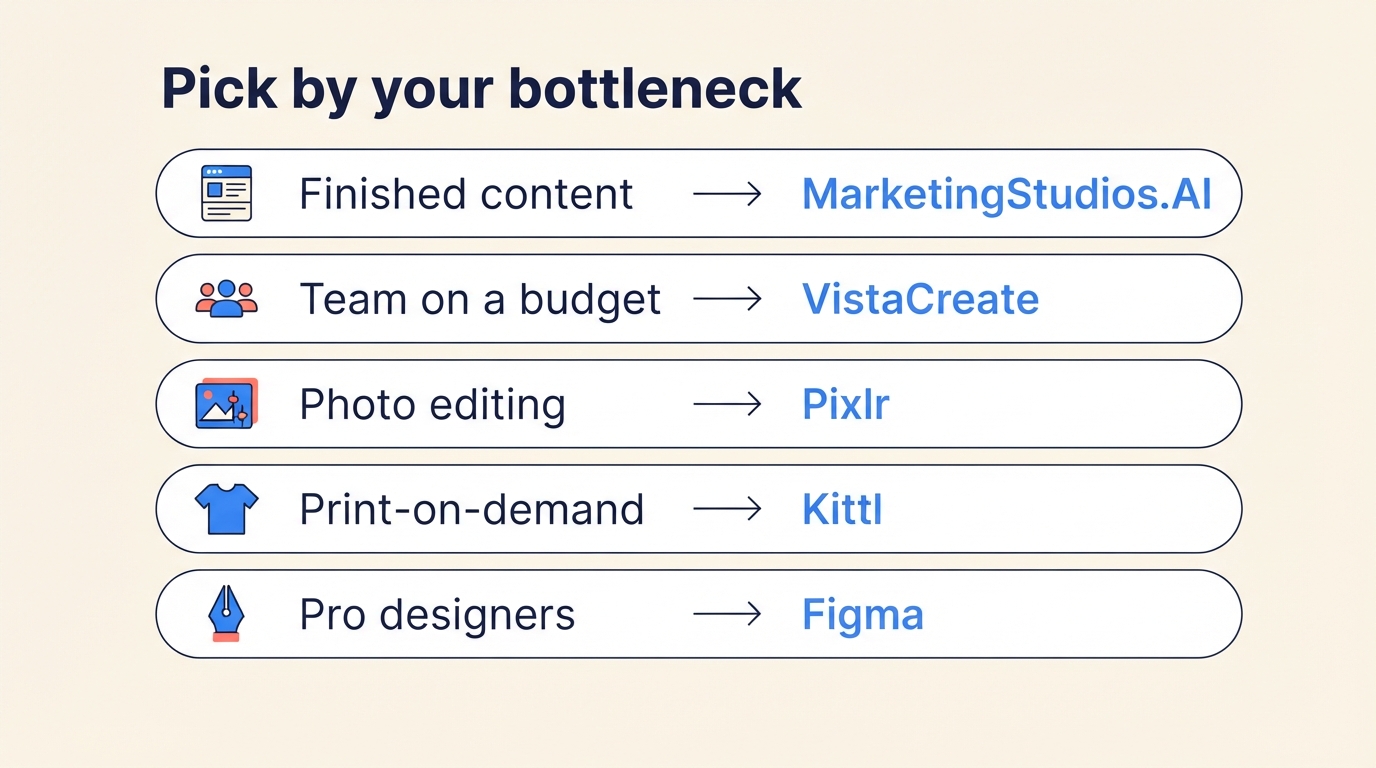
Skip the feature checklists and start from your actual bottleneck:
- You want finished marketing content, not a design tool → MarketingStudios.AI. If the designing itself is what you're avoiding, don't buy a better canvas — remove the canvas.
- You're a team on a budget → VistaCreate. $10/month for up to 10 seats is the best team math in the category by a wide margin.
- You mainly edit photos → Pixlr. You'll get real layer-based editing for less than the cost of a coffee.
- You sell print-on-demand → Kittl. The vector export and commercial licensing are built for exactly that business.
- You work with professional designers → Figma. Marketers get Buzz templates for $3/month while designers keep the system intact.
If none of those describes you and you just want "Canva, but cheaper," Adobe Express at $9.99/month is the safest like-for-like swap.
Frequently asked questions
Is there a completely free Canva alternative?
Yes, several — with trade-offs. VistaCreate's free plan is the most generous like-for-like option: 100K templates, 1M assets, and 10GB storage without watermarks. Visme's free tier allows unlimited projects but adds its branding, and Pixlr's is ad-supported with save limits. If your goal is free marketing content rather than free design software, MarketingStudios.AI's free plan generates 10 AI images, 2 blog drafts, and 1 deep research report with no credit card.
What's the cheapest paid Canva alternative?
Pixlr Plus, at $1.99/month billed annually, is the cheapest paid plan on this list — though it's a photo editor first. For template-based design, Figma's Collab seat ($3/month) and Stencil Pro ($9/month annually) are the next cheapest. Among full Canva-style editors, Adobe Express Premium at $9.99/month undercuts Canva Pro's $15–18/month.
Can AI tools replace a design tool like Canva?
For marketing content specifically, increasingly yes. Tools like MarketingStudios.AI generate finished social posts, card news graphics, banners, and blog drafts from your brand information, so there's nothing left to design — only review and publish. For freeform work — custom layouts, presentations, print files, UI design — you still want a canvas tool like Canva, Adobe Express, or Figma.
Which Canva alternative is best for teams?
For budget-driven teams, VistaCreate: one $10/month Pro subscription covers up to 10 seats, versus Canva Teams at $100 per user per year with a three-seat minimum. For design-led organizations, Figma is the stronger pick — designers work in full seats while marketers create from templates in Buzz on $3/month Collab seats.
Do any of these alternatives publish directly to social media?
A few. MarketingStudios.AI publishes finished content directly to Instagram, Facebook, Threads, YouTube, and WordPress. VistaCreate includes social scheduling on its Pro plan, and Snappa connects to Buffer for scheduling. Most pure design tools on this list — Pixlr, Kittl, Stencil, Figma — expect you to export and post elsewhere.